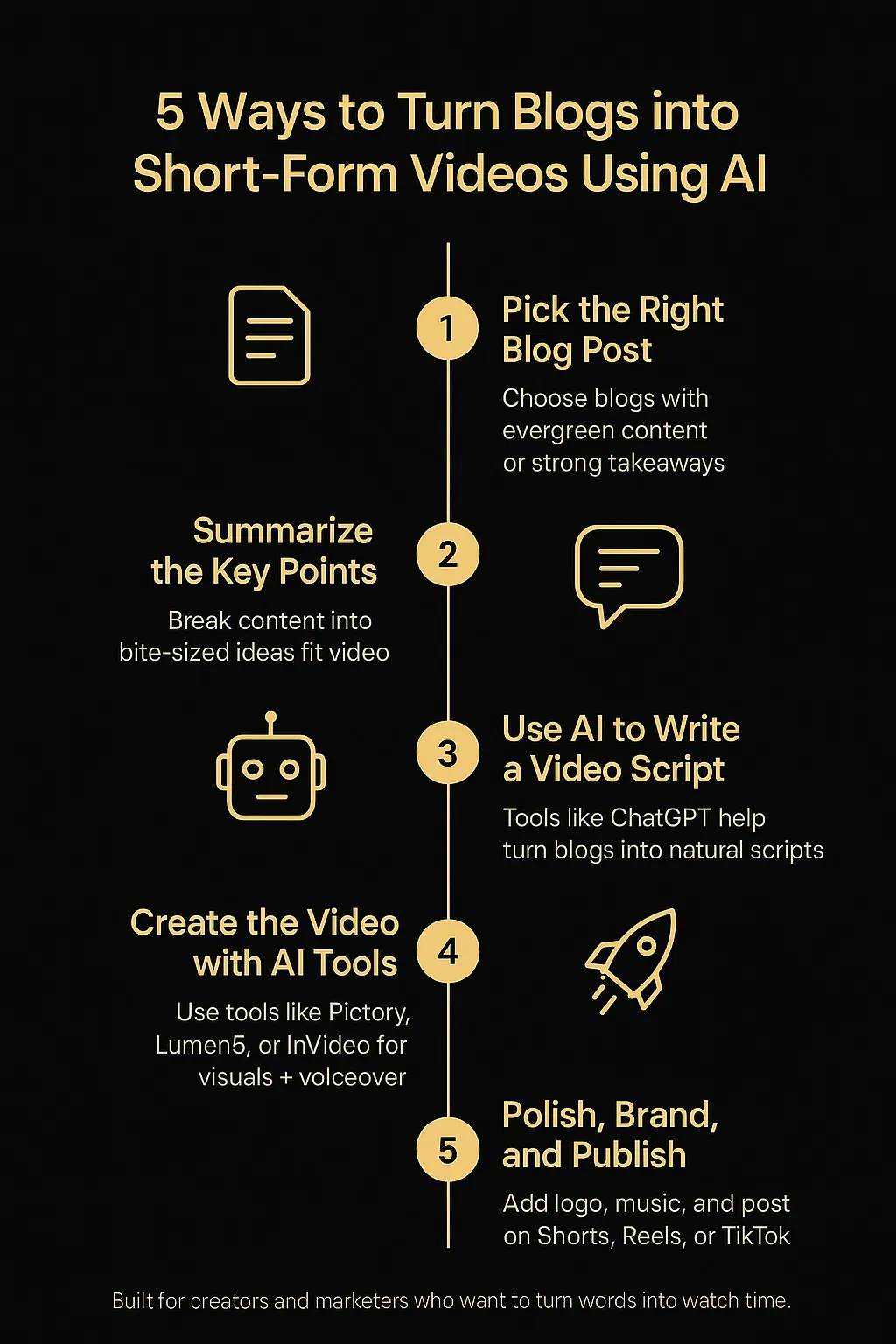
5 Ways to Turn Blogs into Short‑Form Videos using AI

Most blog posts live a short life. You hit “publish,” share it once, and move on. But what if that 1,500-word article could become a 60-second Instagram Reel? Or a carousel video on LinkedIn? Or a vertical YouTube Short?
That’s the power of repurposing, and today, AI makes it easier than ever to turn blogs into videos, even if you’re not a video editor.
In this guide, I’ll show you five practical ways to do just that. I’ve used these approaches myself, across client work, brand building, and portfolio content. You’ll see exactly how to extract key insights from long-form content and convert it into engaging short-form videos, without needing a camera or editing skills.
Let’s dive in.
Why Turn Blogs into Short-Form Videos?
We know that short videos dominate online platforms:
Instagram prioritizes Reels
YouTube Shorts are getting more impressions than many full videos
TikTok's average user session is longer than YouTube's
LinkedIn videos get higher engagement than plain text posts
Now, imagine bringing your blog content into that world. You’ve already done the research, written the value, and ranked it on Google. Why not give it new life and reach new audiences?
Here’s what happens when you turn blogs into videos:
You reach people who don’t read blogs
You increase content visibility across platforms
You improve ROI on the time spent writing
You grow brand presence in new formats
And the best part? With AI, the process is fast, scalable, and doesn’t require hiring a full team.
1. Use ChatGPT or Claude to Script Video Hooks from Blog Paragraphs
The hardest part of making short videos is writing the script. But guess what? You’ve already written it in your blog.
Now, use an AI writing assistant (like ChatGPT or Claude) to summarize your blog paragraphs into 10–60 second hooks.
Step-by-Step:
Paste a section of your blog into ChatGPT.
Ask: “Turn this into a 30-second video script for Instagram Reels.”
Refine tone: Ask it to sound more casual, authoritative, or upbeat.
Generate 3–4 variations, and test which one flows better aloud.
Example:
Blog Excerpt:
“A slow-loading website can hurt both rankings and user experience. In fact, studies show that 53% of mobile users leave a site that takes longer than 3 seconds to load.”
Video Script by AI:
“Here’s a quick fix that could save your website traffic, speed. If your site takes more than 3 seconds to load, more than half your visitors will bounce. Want to rank higher? Make it faster.”
Now you’ve got a short-form script ready to record as a voiceover or talking-head clip. Simple, but effective.
Pro Tip:
Ask AI to format the script as captions or bullet-style callouts for silent-viewing platforms like TikTok and Facebook.
2. Convert Blog Highlights into AI Video Slides (Text-to-Video Tools)
You don’t always need a face on camera. Tools like Pictory, InVideo, Animoto, and Lumen5 can turn written blog content into animated, captioned videos in minutes.
How It Works:
Paste in your blog post or the key summary
AI extracts highlights and adds matching visuals
Choose from templates (e.g., mobile, square, landscape)
Customize style, brand colors, and voiceover
Best Use Cases:
Explainer-style videos for YouTube Shorts
Carousel Reels for Instagram
Branded “tips” videos for LinkedIn or TikTok
These tools are invaluable for creators or marketers who want a hands-off approach to converting blogs into polished-looking videos.
Real-Life Example:
A B2B software company repurposed their blog on “Remote Team Productivity” into a 45-second video using Lumen5. It ran as a LinkedIn ad and outperformed their native posts by 3x in engagement.
3. Use AI Voice Generators to Narrate Your Blog Post
You think your voice sounds like Optimus Prime? AI’s got you.
Voice cloning and text-to-speech tools like ElevenLabs, Play.ht, or WellSaid can generate human-like narration using your blog content. These tools have come a long way, they no longer sound robotic or flat.
Steps to Follow:
Copy the video script (either AI-generated or manual)
Paste it into a voice AI platform
Choose your voice style, calm, energetic, male/female, etc.
Download the MP3 and add it to your video slides or stock footage
Bonus Workflow:
Use tools like Descript or Kapwing to auto-sync the voiceover with matching video visuals.
You can create explainer-style content that looks and sounds professional, even without stepping in front of a mic or camera.
4. Repurpose Listicles into Reels or TikTok Story Boards
If your blog follows a list format, like “7 SEO Tools” or “5 Email Marketing Tips”, you already have the perfect structure for short-form content.
Each item can become a video frame, with a title, a stat, and a takeaway.
Turn This:
Blog Title: “7 Free Tools Every SEO Should Use” Bullet: “Google Search Console: See what queries bring traffic and find indexing issues easily.”
Into This:
Slide 1: “7 Free SEO Tools You Should Be Using” Slide 2: “1. Google Search Console • Shows keyword impressions • Indexing errors • Completely free” Slide 3: “2. Ubersuggest…” ...and so on.
You can use Canva + text animation, CapCut templates, or Pictory to pull this off in 15–30 minutes per video.
Why It Works:
Listicle-style blogs break naturally into short video segments. They’re skimmable, attention-friendly, and great for repurposing without rewriting everything.
5. Use AI Video Avatars to Read Your Blog On Camera
Want a face on camera without filming? Meet AI avatars.
Tools like Synthesia, D-ID, or Colossyan let you choose a digital presenter to narrate your content. You just paste in your blog text (or the shortened version), and the avatar delivers it in front of a virtual background.
Best For:
LinkedIn posts with a “face”
Thought-leader style videos
Quick explainers for product or blog updates
Workflow:
Choose your avatar (some look almost human)
Paste in your short-form blog script
Pick a voice style and language
Render the video (usually takes 5–10 mins)
Export and upload
If you’re camera-shy or need fast video content with a personal feel, this is a great option to turn blogs into videos without being on-screen.
Bonus: How to Choose the Right AI Tool for You
Goal | Tool Suggestions |
Quick social posts | Canva + ChatGPT + CapCut |
Voiceover videos | ElevenLabs or Play.ht |
Face-less slides | Pictory, InVideo, Lumen5 |
Talking avatar | Synthesia or D-ID |
SEO-friendly narration | Descript with auto-captions |
Pick the one that fits your comfort level and speed needs. Most offer free trials or freemium tiers.
Tips for Making Your Blog-to-Video Workflow Smooth
Here are some quick reminders to help you repurpose consistently:
Use AI to script, but add a human touch. Edit tone, insert humor, and avoid sounding generic.
Batch your work. Create 3–5 videos from a single blog in one go.
Keep it short. Aim for 30–60 seconds per clip. Cut extra fluff.
Use captions. Most people watch on mute, especially on social media.
Track what works. Test different intros, visuals, and styles.
You don’t need expensive tools or fancy editing to make this work, you need clarity, structure, and a little help from AI.
Final Thoughts
Blogging is a great way to share value, but it shouldn’t end at the written word. With the rise of short-form video, every blog you write can become a video asset if you know how to repurpose it.
From AI-generated scripts to talking avatars and animated slides, you now have the tools to turn blogs into videos without starting from scratch.
Pick one of these five methods and try it with your latest blog post. Within an hour, you could have a fully edited video ready to post on Instagram, LinkedIn, TikTok, or YouTube Shorts.
And here’s the best part: the more you do it, the easier it gets. Turn your content machine into a content engine, and watch your reach multiply.
Frequently Asked Questions

Author: Abdullah Habib
Abdullah Habib is a results-driven Digital Marketer specialising in SEO, content strategy, and online growth. He blends creativity with data to help brands thrive in the digital space.